VIRTUALIZATION
Virtualization is the practice of utilizing and sharing the resources of a Hardware or remote server while maintaining the same control and administration capabilities typically found on an on-premise, private server.
HYPERVISORS
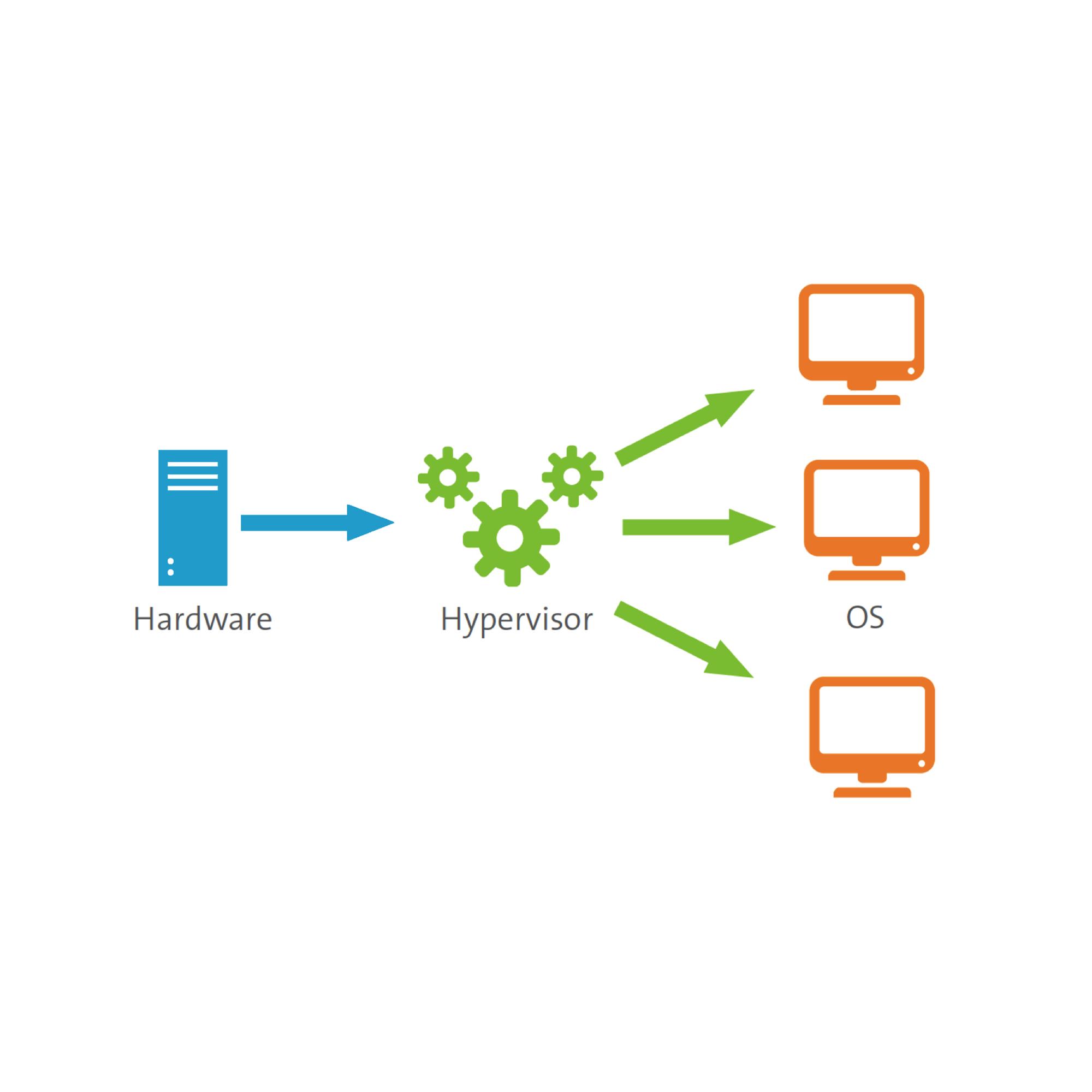
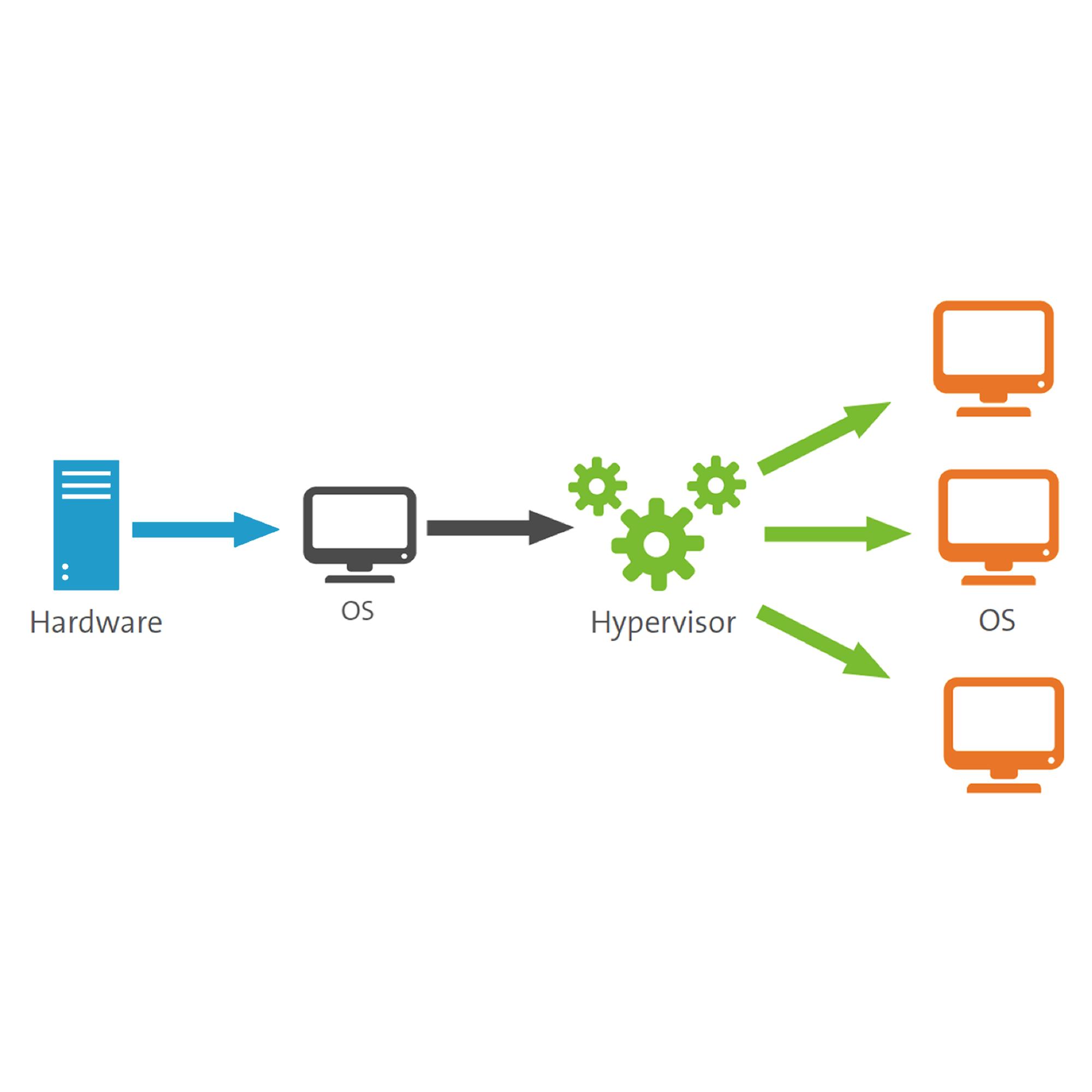
A hypervisor (or Virtual Machine Monitor, VMM) is computer software, firmware or hardware that creates and runs Virtual Machines (VMs).
Hypervisors manage the VMs as they run alongside each other. It separates VMs from each other logically, assigning each its own slice of the underlying computing power, memory, and storage. This prevents the VMs from interfering with each other; so if, for example, one OS suffers a crash or a security compromise, the others survive.
NETWAVE USA RECOMMENDS THE FOLLOWING SOFTWARE

Server Virtualization
Server virtualization enables multiple operating systems to run on a single physical server as highly efficient virtual machines.
Key benefits include:
Greater IT efficiencies
Reduced operating costs
Faster workload deployment
Increased application performance
Higher server availability
Eliminated server sprawl and complexity
Network Virtualization
By completely reproducing a physical network, network virtualization allows applications to run on a virtual network as if they were running on a physical network but with greater operational benefits and all the hardware independencies of virtualization.
Network virtualization presents logical networking devices and services logical ports, switches, routers, firewalls, load balancers, VPNs and more to connected workloads.)
Desktop Virtualization
Deploying desktops as a managed service enables IT organizations to respond faster to changing workplace needs and emerging opportunities. Virtualized desktops and applications can also be quickly and easily delivered to branch offices, outsourced and offshore employees, and mobile workers using iPad and Android tablets.